
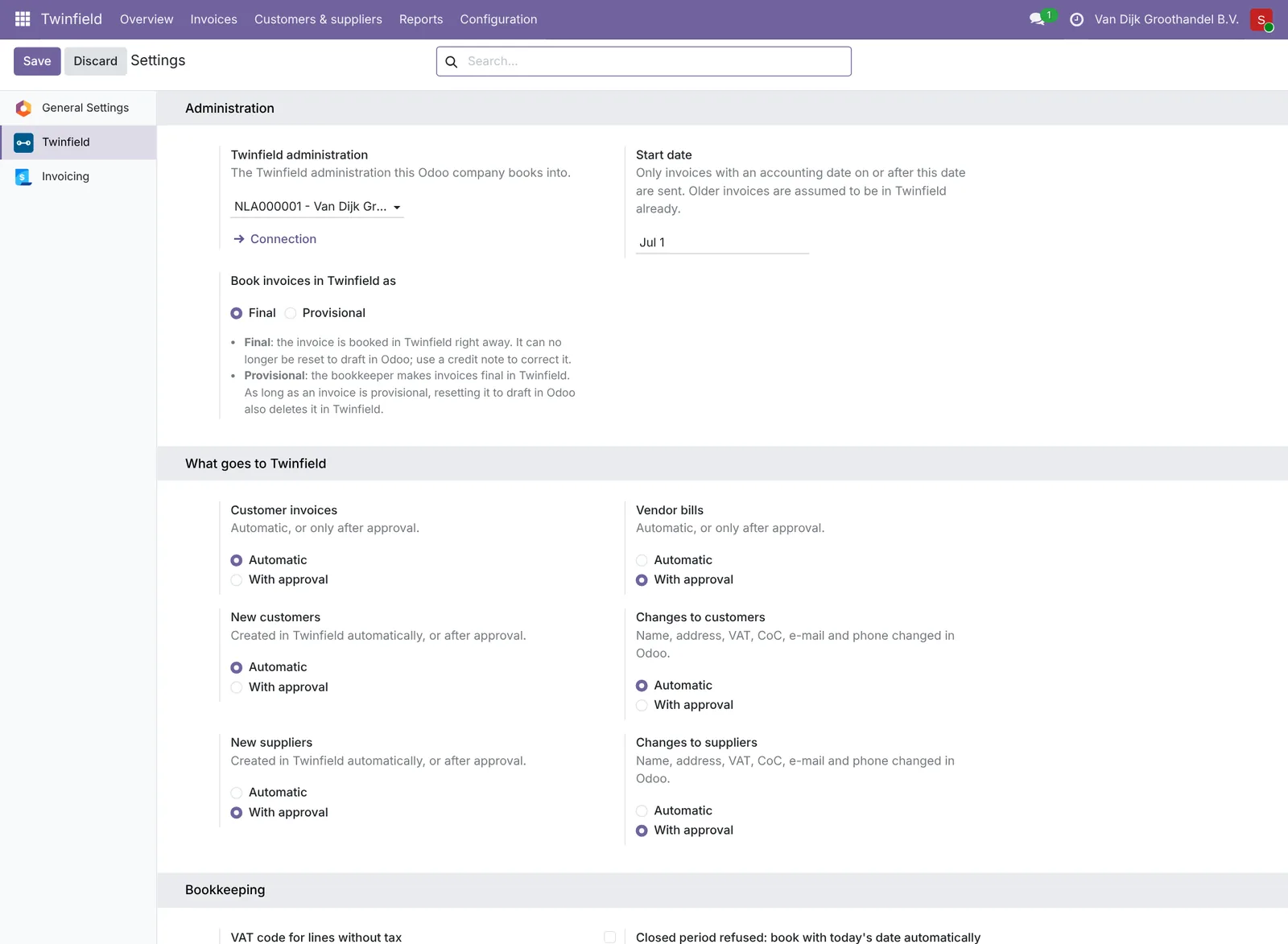
Everything is in Twinfield › Configuration › Settings.
Automatic or with approval
Per kind you choose Automatic (goes by itself) or With approval (waits until someone clicks Approve): customer invoices, vendor bills, new customers, changes to customers, new suppliers and changes to suppliers. Start with approval and switch to automatic once you see everything is right.
Administration and start date
- The Twinfield administration this company books into. Several companies in Odoo? Switch company at the top right and set up each company separately.
- The start date: only invoices with an accounting date on or after this date go to Twinfield.
- Switching to another administration (for example with a new accountant)? Odoo first shows what that means. After saving, fetch the Twinfield data again and check the mappings; customers and suppliers get a number in the new administration. What was already sent stays in the old one.
Other settings
- Book provisionally or finally in Twinfield.
- Daily summary e-mail: an e-mail address that hears every day what needs attention. Only when there is something.
- Closed period: choose whether an invoice in a closed period is booked with today's date by itself.
- New customers and suppliers get their number from Twinfield. You set the number range in Twinfield, at the dimension types DEB and CRD.
Need help?
Can't work it out? E-mail us with your ERP2XL customer number (see Twinfield › Configuration › Connection) and a short description, at [email protected].